











Comprehensive Guide: How to Set the Time and Date on Your Watch
Setting a timepiece is often the very first interaction between a watch and its owner. Whether it has just emerged from its presentation box or rested for a few days on your bedside table, restarting its mechanics requires a certain level of care. Although the operation may seem intuitive, setting the time and date on a watch requires adopting the right practices to preserve the precision and integrity of its inner workings.
Indeed, behind the dial lies a complex assembly of dozens of minuscule metal components. Mishandling the crown, a rotation that is too abrupt, or a date change at the wrong hour can damage the movement, whether it is mechanical, automatic, or quartz.
This guide has been designed to accompany you step by step. We will explore the universal methods for correctly setting the time and date on your watches, illustrating these principles with the specificities of the Gustave & Cie collections.
Understanding the role of the crown
The crown is the command centre of your watch. This small fluted button, generally located at 3 o'clock on the side of the case, allows you to interact directly with the heart of the movement. To handle it correctly, it is crucial to understand its different positions, which are referred to as "clicks".
As a general rule, the crown has three distinct positions:
- The initial position (pushed in): This is the normal running position. The watch is water-resistant, and the movement is running. On mechanical watches, this is also the manual winding position.
- The first click: By gently pulling the crown, you reach the first click. On the majority of timepieces equipped with a complication, this position allows you to set the date or the day.
- The final click (or second click): By pulling the crown all the way out, the mechanism often pauses (hacking seconds function). It is in this position that the time is set by turning the hands.
Before pulling the crown, always ensure you remove the watch from your wrist. Setting the time while the watch is on the wrist exerts lateral pressure on the winding stem, which risks bending it or compromising its water resistance.
 The three crown positions: when pushed in, the watch runs normally and, on mechanical models, allows the movement to be wound; at the first click, it is used to set the date and day; at the second click, it is used to adjust the time.
Setting an automatic watch: Mechanical precision
Automatic watches are masterpieces of micromechanics. Their setting follows strict rules that apply to the vast majority of horological models.
To set the time on a classic automatic watch (as is the case with our Léon or Paul collections, featuring a 24-hour dial), simply pull the crown to the final click. Then, turn the crown to position the hand at the exact time. Once the setting is complete, firmly push the crown back against the case.
Adding the date and the golden rule of horology
When your automatic watch features a date window, like our Charles collection, the procedure is carried out in two steps. The first click of the crown allows you to change the date, while the second allows you to adjust the time.
However, there is an absolute rule in horology regarding automatic watches: you must never set the date when the hands are positioned between 9:00 PM and 3:00 AM. This timeframe is often referred to as the "danger zone". During these hours, the gears of the date disc are already engaged by the movement to perform the midnight jump. Forcing a quickset adjustment at this time risks breaking the mechanism's teeth.
To set the date safely:
- Pull the crown to the final click and place the hands at 6:30 (a neutral, safe zone).
- Push the crown back to the first click and set the date to the day before the current date.
- Pull the crown again to the final click and advance the hands until the date jumps to today's date. You will then know that you are in the morning (AM).
- Finally, adjust to the exact time before pushing the crown back in.
The specificities of the screw-down crown
To guarantee optimal water resistance on certain models, watchmakers utilise a screw-down crown. This is the case, for example, with our Jules 24H automatic watch.
Before being able to pull the crown, you must first unscrew it by turning it downwards. You will feel a slight click when it reaches the end of the thread: it is then in the "neutral position". From there, you can pull it to the final click to set the time. Once the operation is complete, it is imperative to screw the crown back in to preserve the water resistance of the case. Apply gentle pressure to the crown in the neutral position, then turn it upwards until it is perfectly flush against the case.

Jules 24H automatic watch with GMT complication: the upper crown sets the GMT function, while the lower crown unscrews before being pulled to the second position to adjust the local time.
Setting the time on a quartz watch
The quartz movement, powered by a battery, stands out for its great ease of use. Setting it is often more direct and requires fewer precautions related to the internal mechanics of the driving gears.
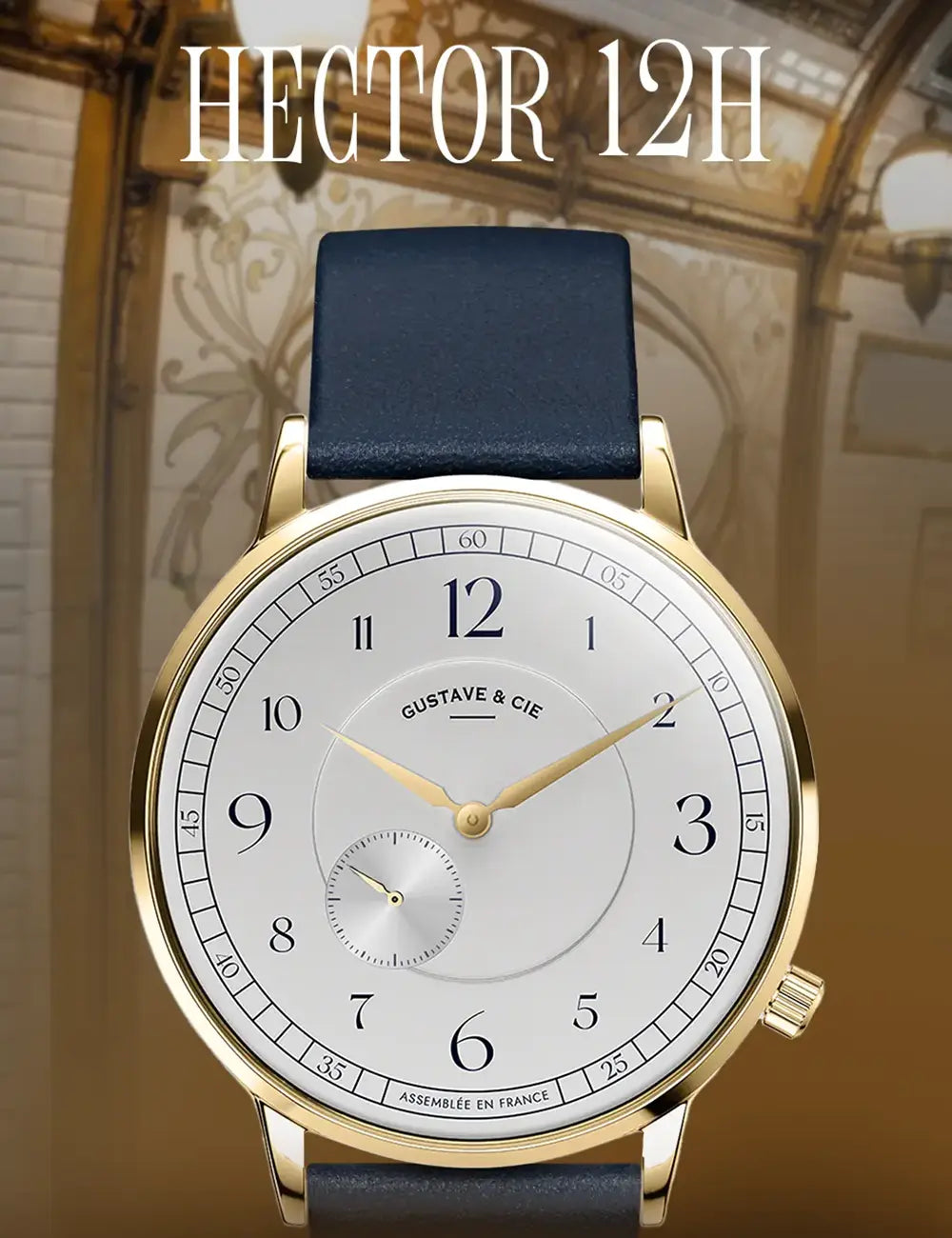
The standard method remains the same: pull the crown out completely (generally to the second click) and turn it to position the hands at the desired time, then push it back to its initial position. This simple procedure applies universally, and particularly concerns our Louis, Hector, or Georges collections (the latter incorporating a moon phase complication, which is set at the first click).
Setting the day and date on a quartz movement
Certain quartz watches offer useful daily complications, such as the display of the date and the day of the week. If we take the example of our Marie collection, the setting is carried out via the first click of the crown.
To modify these parameters, pull the crown to the first click: turn the crown upwards to set the day of the week, and downwards to adjust the desired date. Once the correct information is displayed in the windows, simply push the crown back in to restart the march of time.
Single-hand movements: The importance of the direction of rotation
A large majority of timepieces allow the hands to be turned in both directions to adjust the time. However, certain movement architectures require more particular attention. This is notably the case with single-hand quartz watches.
If your model is equipped with a date window, setting it is done by pulling the crown to the first click. You then simply need to turn the crown upwards to adjust the date.
For setting the time, pull the crown to the second click. On these specific models, the single hand bears the entire burden of indicating the time by itself. The mechanism that drives it is calibrated to advance with fluidity. Consequently, there is a fundamental principle to respect: the hand must imperatively be turned clockwise (forwards).
Turning the crown in the opposite direction risks creating play in the gears and misaligning the hand with the dial's indices. If you own a watch from our Antoine or André collections, scrupulously ensure you turn the crown downwards to guarantee this clockwise progression. If, by inadvertence, you bypass the exact time, do not turn it back. Simply continue to advance the hand in the correct direction until you reach the desired time.
The art of caring for your timepiece
Mastering how to set the time and date on your watch is a fundamental skill for any horology enthusiast. Whether it involves respecting the famous danger zone on an automatic watch, properly screwing down the crown to guarantee water resistance, or adhering to the direction of rotation on a single-hand movement, these small rituals ensure the longevity of your timepiece.
Taking the time to correctly set the time and date is, above all, respecting the craftsmanship that brings your watch to life. By adopting these good habits, you ensure that the mechanics beating at your wrist will continue to accompany you with precision and reliability for many years to come.
DISCOVER OUR QUARTZ AND AUTOMATIC COLLECTIONS


Leave a comment
This site is protected by hCaptcha and the hCaptcha Privacy Policy and Terms of Service apply.